ArcGIS Data Pipelines is a service that’s currently available with an ArcGIS Online (AGOL) subscription and will be released for ArcGIS Enterprise beginning in version 12.0. The 12.0 Enterprise version will be released first as a beta product which essentially means you can experiment with the technology but don’t rely on it for critical production data workflows.
Data Pipelines will offer a no-code drag and drop UI to configure and schedule ETL processes. The processes can be configured to complete a variety of data transformation and/or data movement tasks. The tasks will more than likely be related to Enterprise GIS data, but it wouldn’t necessarily have to be. For instance, a process could be configured to read data from an ADMS such as outage data and make a request to a Maximo endpoint to create a work order for field crews to charge to.
When I first learned about this new service from Esri I immediately though of FME. FME is software suite that allows for no-code configurable and scheduled ETL processes. FME is a mature and widely used ETL solution across the utility industry. Going forward I think it will be worthwhile to evaluate Data Pipelines for any type of schedule ETL process your organization needs.
Practical Use Cases
- Synchronize customer data from a CIS to an ArcGIS layer that tracks service points (aka customer dots)
- Feed inspection data from an Asset Management system to a GIS feature related record
- Synchronize a work area polygon from a work management system to an ArcGIS layer
Let’s explore the work area polygon use case and how this can be achieved through an ArcGIS Data Pipeline. Can this be through no-code configuration? The challenge is on.
There are a few steps we’ll need to set up:
- Query all active work management polygons that are newly created, or updated, from a specific date and time. For instance, any polygons created or updated within the last 24 hours.
- The polygon data is in GeoJSON format. It also contains a few data attributes the ArcGIS feature will inherit.
- Job Description
- Updated by Username
- Job Status
- Type of Job (System Improvement, Customer Requested, etc..)
- Priority
- Requested Completion Date
- Either a new polygon feature will be created, or an existing feature will be updated in the ArcGIS layer.
The GeoJSON used for the Pipeline contains a polygon and a collection of properties that contain the data associated with the work area.
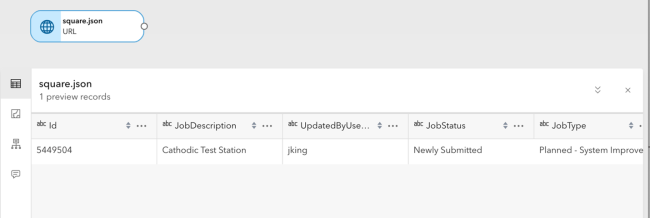
The first step is to define an Input which will be a URL to the GeoJSON. Practically this would be an API endpoint from a work management system.

After the Input is set, we have the ability to preview the geometry in the data along with the data.
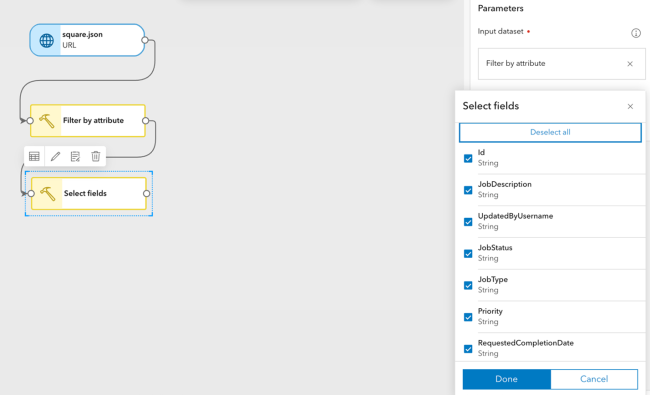
A Filter is an optional step in the workflow. For instance, we could create a pipeline for work areas only in certain statuses.
After the data filter is set we can define what fields we’re interested in keeping for final output to our hosted feature layer.
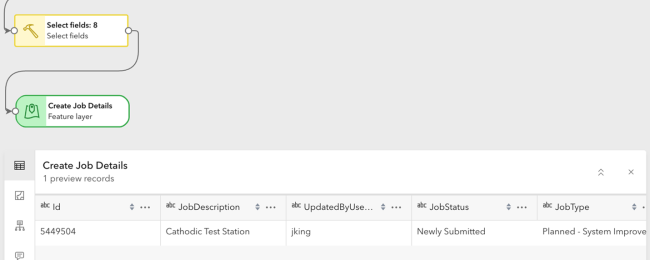
Last step is to define the output which in this case will be a Feature Layer. After the output is set we can preview what the final output will look like in a map or data view.
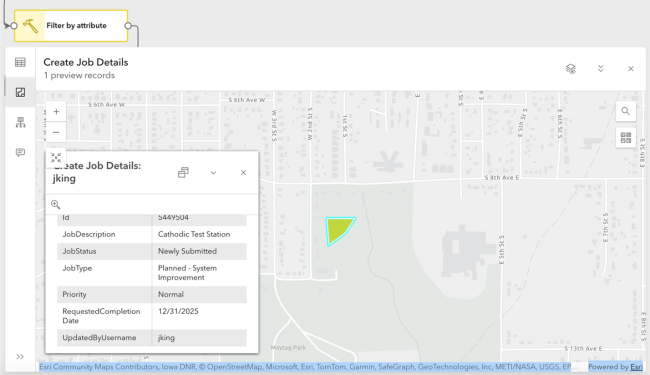
If everything looks good, we can either schedule the Pipeline to run at a certain interval or kick it off manually. I decided to manually run the process by simply clicking the “Run” button on the UI.
After clicking the Run button, the process took about 30 seconds to process the data into a new Feature Layer. I navigated to My Content in AGOL, found the layer and opened it in a Scene View.
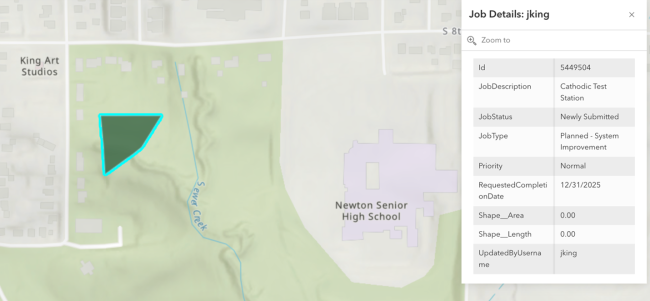
Final Thoughts
I really enjoyed how easy it was to build a Data Pipeline. The interface is intuitive and easy to use.
I spent about an hour exploring the capabilities and setting up the entire Data Pipeline process. The interface lets you know how many credits you are consuming. While the UI is active and you’re building a Pipeline, the credits keep ticking. I spent 30 AGOL credits building and running the process.
I’d encourage anyone who has the time to experiment with the current version of the tool available on AGOL. I’m looking forward to the beta being released in Enterprise 12.0 and further development of this tool.

What do you think?